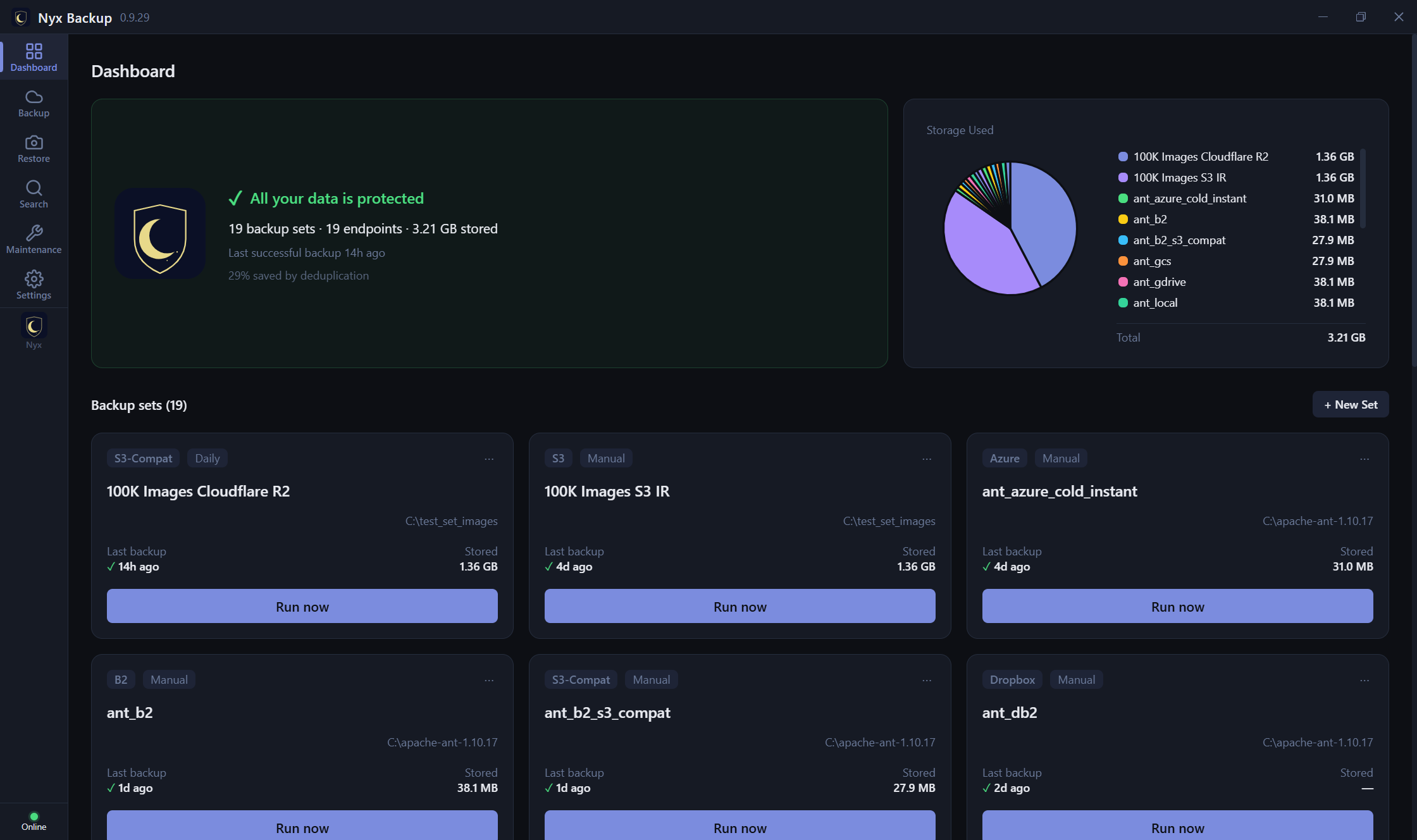
Native desktop app
A real Windows/macOS/Linux app with a dashboard, backup-set editor, and snapshot browser - not a web page in a wrapper.
Nyx Backup is built on one idea: your data goes to storage you control, encrypted with keys only you hold, in a format that stays recoverable long after any one app. Here is how that plays out, feature by feature.
One installer per platform - a signed installer on Windows, a notarized package on macOS,
and .deb / .rpm on Linux - and a first-run wizard that generates your
key, shows the recovery phrase to save, and walks you through your first backup set. Sensible
defaults do the rest: Nyx auto-tunes pack size and upload workers to your machine's RAM and CPU,
so there's nothing to hand-tune. Point it at a folder and a destination, and you're backing up.
Everything - file contents, names, folder structure, and the manifests that describe a backup - is encrypted on your machine with AES-256-GCM before a single byte leaves it. The master key is generated locally and never transmitted, so we never receive your data or your keys and could not read them if we were asked to. Purpose-bound subkeys (via HKDF-SHA256) mean the one master key never encrypts anything directly.
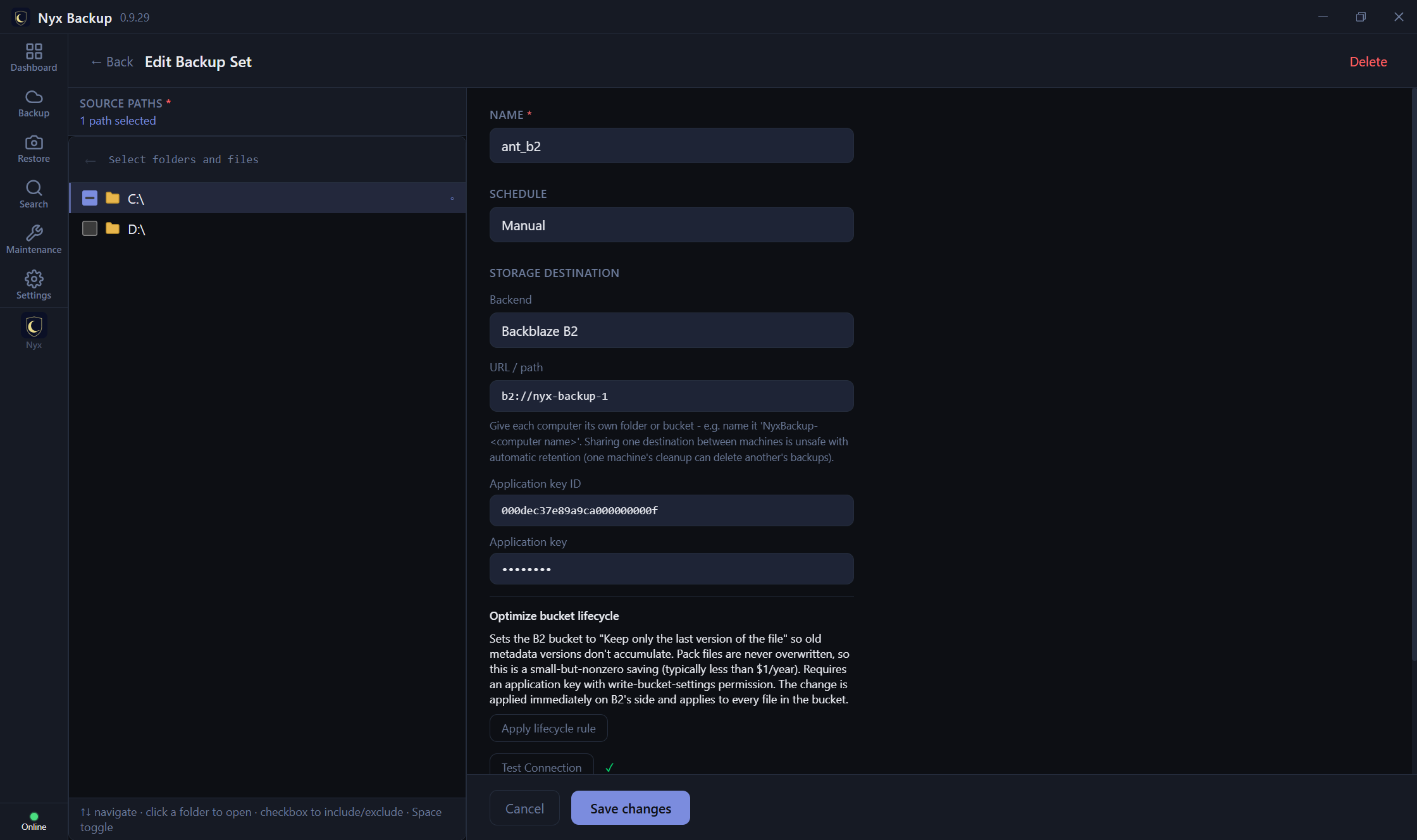
Point Nyx at a destination you already control: Amazon S3, Backblaze B2, Wasabi, Azure Blob, Google Cloud Storage, any S3-compatible service, SFTP, SMB/CIFS, WebDAV, Google Drive, OneDrive, Dropbox, or a local/network drive. That's 13 built-in backends - and because one of them is any S3-compatible service, the real list is dozens of providers on its own (Wasabi, MinIO, Storj, Cloudflare R2, DigitalOcean Spaces, Scaleway, and more). You hold the account and the keys - we never store, proxy, or see your data, and charge no storage fees. Prefer a managed cloud? Use Backblaze B2 or any S3 bucket as your destination - same storage, but your keys and an open format.
Content-defined chunking (FastCDC) splits files so only the parts that actually changed are uploaded; identical chunks are stored once (deduplication), and everything is compressed with zstd. Small files are packed together to avoid per-object overhead. After the first backup, runs are quick and light on bandwidth and storage - even across large trees. Encryption and hashing are hardware-accelerated automatically: they run through your OS crypto module, which uses your CPU's built-in AES and SHA instructions, so backups stay fast and easy on your processor - nothing to configure.
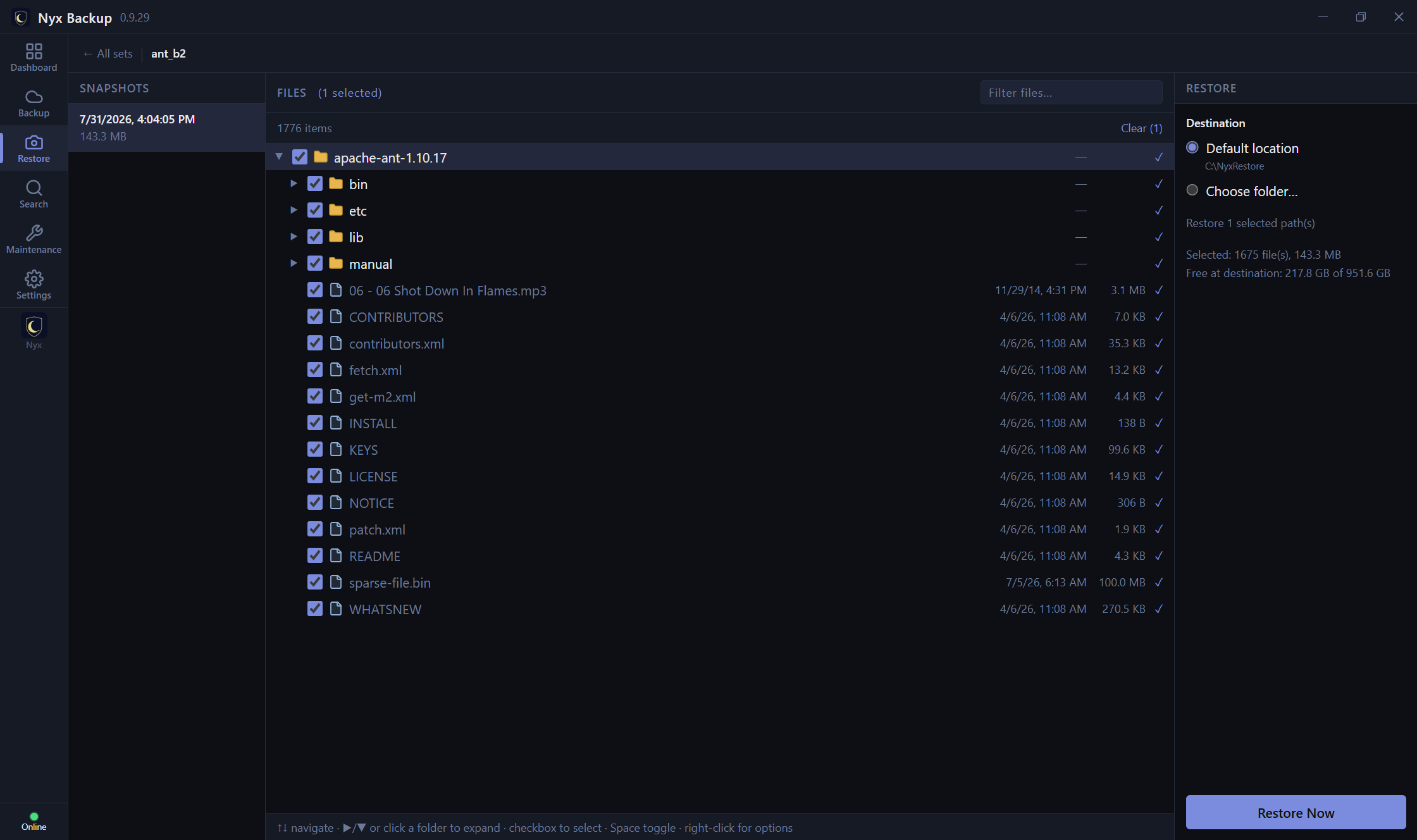
Every backup is a point-in-time snapshot. Browse them, preview the file tree, and restore a single file, a folder, or everything - to this machine or another - exactly as it was. No command line required, though there's a full CLI if you want one. Restore is never gated by your license: your data is always recoverable.
Back up on a schedule with battery and network guards so a laptop on cellular or low power isn't hammered. Keep the history you want with flexible retention - recent snapshots daily, then thinned to weekly and monthly - and old snapshots prune automatically. If the service is stopped mid-run, it resumes the backup on the next start rather than waiting for the next tick.
Databases and files held open by other programs are captured cleanly: VSS shadow copies on Windows and APFS snapshots on macOS give a consistent point-in-time view, with a direct low-level read as the fallback. You don't have to close your apps to get a good backup.
A native desktop app, a terminal interface, and a command line - the same engine underneath, on Windows, macOS, and Linux, fully localized in 24 languages.
A real Windows/macOS/Linux app with a dashboard, backup-set editor, and snapshot browser - not a web page in a wrapper.
A full-screen terminal interface for servers over SSH, and a scriptable command line with JSON output for automation.
The entire interface is translated into 24 languages, following your system language by default or set manually.
Strong algorithms are table stakes. What separates a serious backup tool is how it handles keys, proves integrity, and keeps your data recoverable no matter what happens to the vendor.
Every core operation routes through your OS vendor's FIPS-validated module - Microsoft CNG and Apple CoreCrypto (FIPS 140-2), AWS-LC on Linux (FIPS 140-3 Cert #4759). Not home-grown crypto.
On Linux the master key is sealed to your machine's TPM where present (or systemd-creds), so a stolen disk image is useless; Windows and macOS use their vendor key stores.
Your license is a signed file verified entirely offline - no account, no activation server. Optional, anonymous usage telemetry that you can switch off.
The on-disk archive format is published and versioned, so your data stays independently recoverable - it is not trapped inside one program.
The app is free to install and free to restore with - getting your data back never depends on an active license. A separate Recovery Tool is also available for restoring with no license, no account, and no running service.
Backups are integrity-checked by sampling packs, downloading, decrypting, and verifying their hashes - so you find out a backup is healthy before you need it.
Keys are locked into memory so they are not written to the page file, wiped the moment they are finished with, and the master key is not kept in memory between jobs. Nyx Backup also switches off operating-system crash reporting, so a crash never ships a memory snapshot to Microsoft, Apple or Canonical.
Backups belong to the account that set them up. Another person signing in to the same computer cannot browse your snapshots, start a restore, or export your encryption key - the service will not take instructions from them.
This page is the case for Nyx Backup. If you have a particular requirement to check - parity on a NAS, immutable storage, archive tiers, hook scripts - the full capability list covers every feature in one table.
Free 60-day trial. No account required. Bring your own storage.
Download free 60-day trial