Memory-safe by design
Rust eliminates the memory-corruption bugs - buffer overflows, use-after-free - that are the leading source of crashes and security vulnerabilities in native software, and it does so without a garbage collector.
The short version: your data goes to storage you own, encrypted with keys only you hold, for a one-time price. Here is how that stacks up against the big cloud-backup services and against the other encrypted backup tools - drawn from each product's own documentation.
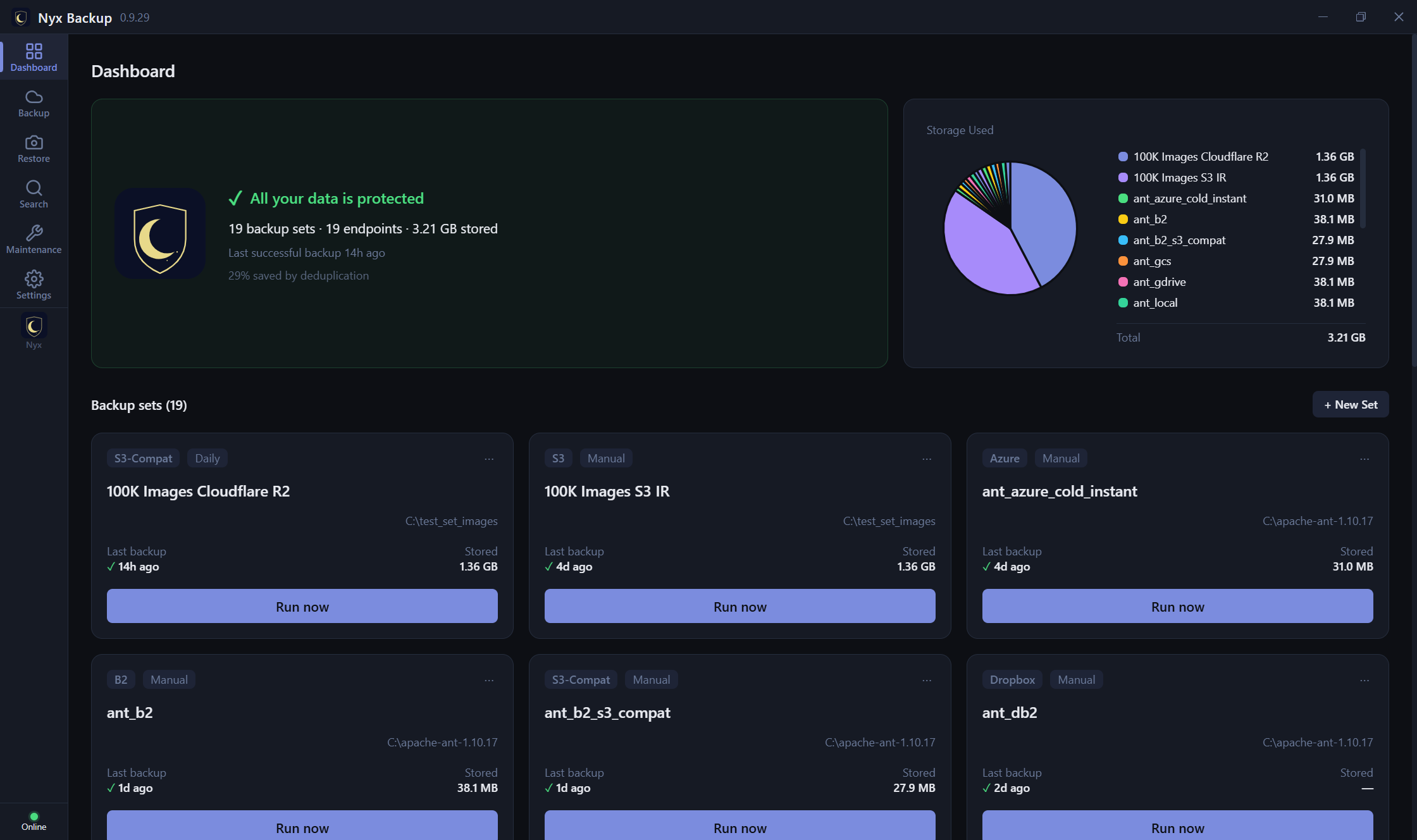
Services like Backblaze and iDrive are genuinely good at hands-off, managed backup. The difference is the model: they hold your (encrypted) data on their cloud for a recurring fee; Nyx puts it on storage you control, and never sees it.
| Nyx Backup | Backblaze Personal | iDrive | |
|---|---|---|---|
| Where your data lives | Storage you own (13 backends + any S3-compatible) | Backblaze's cloud | iDrive's cloud |
| Who can hold your data | Only you | Backblaze (encrypted) | iDrive (encrypted) |
| Cost model | Buy once + your own storage | Subscription (~$99/yr, 1 computer, unlimited) | Subscription (storage tiers, ~$79.50/yr for 5 TB) |
| Zero-knowledge on restore | Key never leaves your machine | Private key, but sent to Backblaze to decrypt for restore | Private-key option (key not stored) |
| Choose / switch storage | Any of 13, incl. any S3-compatible | No - their cloud only | No - their cloud only |
| Network drives & NAS | Yes - any folder you can reach | No - Personal excludes NAS | Yes (as a mapped drive) |
| External / removable drives | Yes | USB only, must re-scan every 30 days | Yes |
| Deleted-file retention | Your retention policy | 30 days by default (extended costs more) | Retains until you clean up |
| Getting your data out | Already in your own storage; restoring is always free | Export from their cloud before you cancel | Export from their cloud before you cancel |
| Linux | Yes | No | CLI-only, by request |
| Interfaces | GUI + TUI + CLI | Desktop app | Desktop + mobile |
Prefer a managed cloud anyway? You can point Nyx at Backblaze B2 (or any S3) as your destination - the same storage, but your keys and an open format. (Acronis and Carbonite follow a similar rent-our-cloud model and are not listed row-by-row here.)
This is Nyx's own category. Arq is the established commercial option; Duplicati and Kopia are popular free, open-source tools. All are solid - here is where Nyx differs.
One row deserves plain English: open / locked files. Your mail database, your accounting file and anything else that is open while the backup runs cannot simply be read - the operating system has it locked. The fix is to snapshot the whole volume first (Volume Shadow Copy on Windows, APFS snapshots on macOS) and back up the frozen copy, so you get every file as it looked at one instant. Nyx and Arq do this automatically on both platforms. Duplicati supports it on Windows only and ships with it switched off. Kopia has no built-in support at all - its documentation asks you to write your own PowerShell before/after scripts. Nyx also keeps its Windows shadow copy across a reboot, so a large first backup that gets interrupted resumes instead of starting over.
| Nyx Backup | Arq 7 | Duplicati | Kopia | |
|---|---|---|---|---|
| Windows / macOS / Linux | All three | Windows, macOS | All three | All three |
| Built in | Rust | Swift / Obj-C | C# / .NET | Go |
| Client-side E2E, your keys | Yes (AES-256-GCM) | Yes (AES-256) | Yes (AES-256 / GPG) | Yes (AES-256-GCM / ChaCha20) |
| Bring-your-own storage | Yes (13, incl. any S3-compatible) | Yes | Yes | Yes (+ rclone, 40+) |
| Deduplication + compression | Yes | Yes | Yes | Yes |
| Erasure-coding self-heal (bit-rot repair) | Yes (NAS: SMB/SFTP/WebDAV) | No | No | Yes |
| Snapshot browse + restore | Yes, in the app | Yes | Yes (versions) | Yes (mountable) |
| Open / locked files (Windows VSS, macOS APFS) | Automatic, both platforms | Automatic, both platforms | Windows only, off by default | No - you write your own scripts |
| Interfaces | GUI + TUI + CLI | GUI | Web UI + CLI | GUI + CLI |
| Native desktop app | Yes | Yes | No (web UI) | Yes |
| Localized UI | 24 languages | English | Limited | English |
| License | Buy once + 12 mo updates | Buy once + $25/yr updates, or subscription | Free (open-source) | Free (open-source) |
| Price | Starting at $39.99 + $19.99/yr (optional maintenance) | $49.99 + $25/yr (optional maintenance) | Free | Free |
| Free trial | 60 days | 30 days | n/a (free) | n/a (free) |
| Fully offline license, no account | Yes (signed .lic file) | License code + cloud portal | n/a | n/a |
| Documented archive format | Yes (published spec) | Yes | Yes (open-source) | Yes (open-source) |
| FIPS-validated crypto modules | Yes (140-2 / 140-3) | No | No | No |
| Restoring costs nothing, ever | Yes - app is free to install and restore with | Yes | Yes | Yes |
| Standalone recovery tool | Yes (separate installer) | Yes (arq_restore) | n/a (tool is free) | n/a (tool is free) |
Compiled August 2026 from each product's official documentation; features and prices change - verify current details on their own sites: Arq, Duplicati, Kopia, Backblaze, iDrive.
Sources for the open / locked files row:
Arq snapshot behaviour,
Duplicati --snapshot-policy
(default off; "MacOS snapshots are not currently supported"),
Kopia shadow-copy actions
(user-supplied PowerShell before/after scripts).
The language under the hood is not marketing trivia for software that runs for hours moving gigabytes of your data. Nyx Backup is written in Rust - here is what that buys you.
Rust eliminates the memory-corruption bugs - buffer overflows, use-after-free - that are the leading source of crashes and security vulnerabilities in native software, and it does so without a garbage collector.
No garbage collector means no stop-the-world pauses and a small, flat memory footprint even on multi-hour backups of large trees. It stays light on the machine it is protecting.
The compiler rules out data races, so Nyx chunks, encrypts, and uploads in parallel for speed without risking the state corruption that unsafe concurrency can cause.
Native speed like C or C++, memory-safety like a managed language, and a single self-contained binary with no runtime or VM to install or patch. For a tool whose entire job is not losing your data, that reliability-and-safety combination is the whole point.
If you want completely hands-off, unlimited single-computer backup and don't mind a subscription and trusting a provider to hold your encrypted data (Backblaze, iDrive, Acronis).
If you're comfortable with a hands-on, do-it-yourself setup and want zero license cost, Kopia and Duplicati are strong. The trade-offs: support is community forums rather than a vendor you can email, and you may hit more setup, configuration, or compatibility friction. Nyx keeps the same idea - your storage, your keys - with a polished app and real support.
If you want to own your storage and keys, buy once instead of renting, and get a polished app across Windows, macOS, and Linux - GUI, terminal, and CLI - with FIPS-grade crypto, an open format, a free recovery tool, cross-snapshot file search to find any file fast, and erasure-coding parity that auto-repairs bit rot on self-hosted (NAS/SMB/SFTP/WebDAV) destinations - no account or phone-home.
Free 60-day trial. No account required. Bring your own storage.
Download free 60-day trial